Is anything shady running on your computer?
avai is a tiny security guard for your computer. It quietly checks the places malware likes to hide, then has an AI security expert look at what it found and tell you — in plain English — whether anything is dangerous.
Think of it as a health check-up for your laptop or server. Nothing leaves your machine.
$ docker run -p 8765:8765 -v "$PWD":/data iklob1/avai
# dashboard on http://localhost:8765Prefer native? pip install avai-monitor
You can't see what your computer is really doing
Malware hides in the boring places — startup items, browser extensions, background network connections. Logs are noisy and unreadable, and antivirus only catches the signatures it already knows.
You're left guessing whether that process, that connection, that extension is fine.
A plain-English answer you can trust
avai collects the evidence and an AI security expert reviews it, cross-checked against 17 threat-intel sources, and gives every finding a verdict you can act on:
Three steps, then it runs itself.
🔎 1 · It looks around
Every few minutes avai checks the places malware likes to hide — without sending anything off your machine.
🧠 2 · An AI expert reviews it
Findings are cross-checked against 17 threat-intel databases and judged by a Claude-class model.
📋 3 · You get a simple list
A clean web dashboard shows what's safe, what's worth a look, and what's dangerous.
One command sets it up; after that it re-checks on its own.
All the places trouble hides.
🚀 Programs that start by themselves
Launch agents, services, scheduled tasks.
🌐 Who your computer is talking to
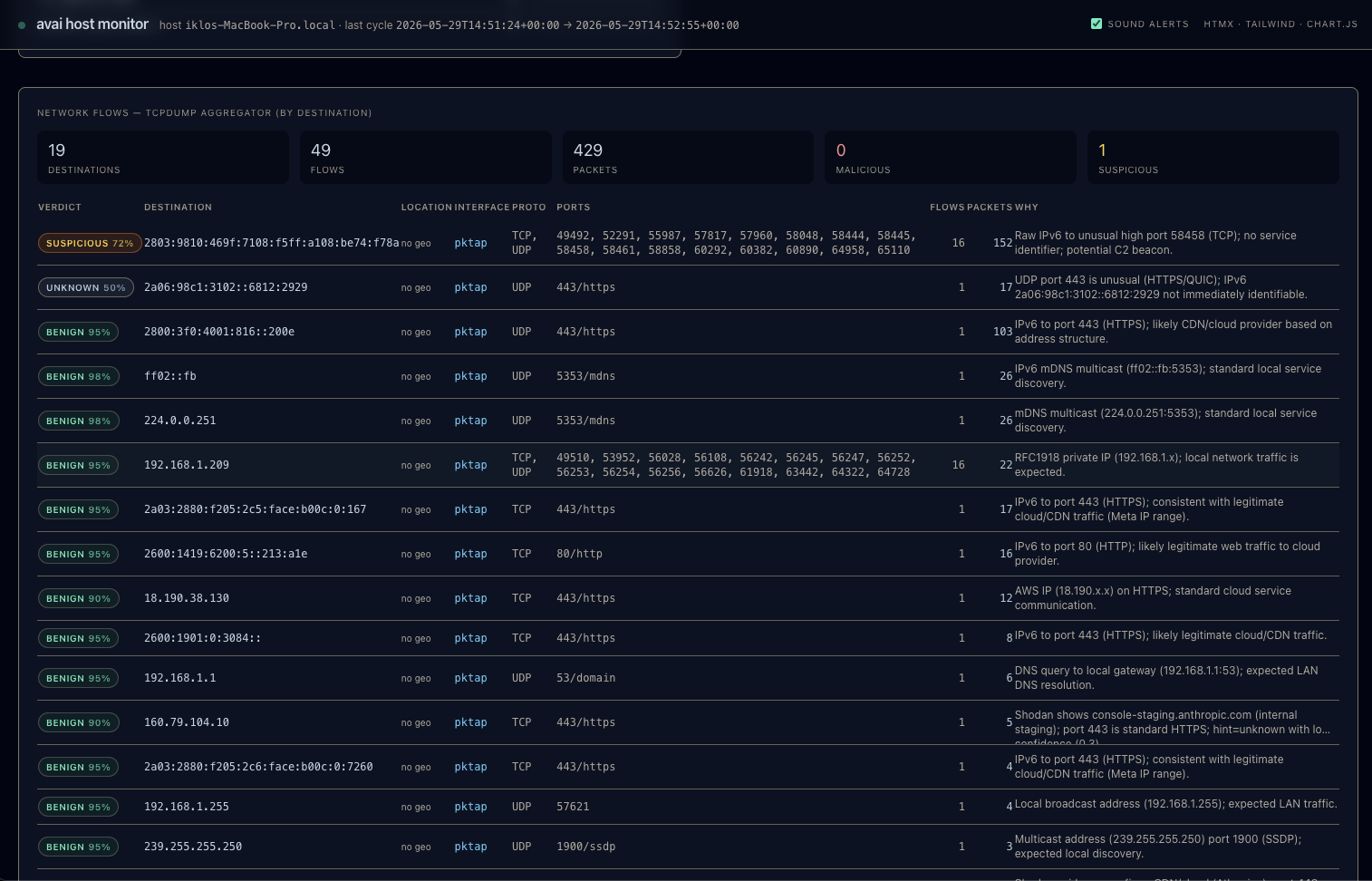
Outbound connections, DNS lookups, listening ports.
🧩 Browser extensions
Chrome, Firefox, and Chromium-based browsers.
🔒 App privacy permissions
Camera, mic, disk, and TCC grants on macOS.
🔌 USB & Bluetooth devices
What's plugged in and paired.
📄 Tampered system files
Hosts file, integrity, setuid binaries.
🛡️ Your security settings
FileVault, Gatekeeper, SIP, firewall posture.
🔑 Authentication events
Logins, sudo, SSH keys, privilege changes.
…and 18 more checks
Running processes, open ports, installed apps, kernel extensions, quarantined downloads, MDM profiles, Wi-Fi security, drive mounts, and more.
Everything avai watches — and does.
26 collectors on macOS (21 on Linux), 17 threat-intel sources, and a Claude-class model that turns it all into plain-English verdicts.
⚙️ Processes & execution
Running processes, exec events, command lines.
🌐 Network
Connections, flows, DNS, listening ports, interfaces.
📌 Persistence
Launch items, scheduled tasks, login items.
🔑 Access & identity
Auth events, SSH keys, privilege config.
🛡️ Integrity & posture
System integrity, file integrity, security settings.
🔌 Hardware & browser
USB, Bluetooth, Wi-Fi, browser extensions.
🧬 YARA file scanning
On-disk binaries matched against thousands of malware rules.
🛰️ 17 threat-intel sources behind every verdict
🧠 AI verdicts
Each finding is judged dangerous, worth a look, not sure, or all good — with a short plain-English reason and remediation you can act on.
🧬 YARA file scanning, built in
avai compiles a YARA ruleset from a small bundled set plus optional public packs (signature-base, YARA-Forge) — thousands of rules across APT, commodity malware, hacktools, webshells and exploits — and scans on-disk executables and recently-changed Downloads against them every cycle. It's targeted rather than a full-disk crawl, so it stays fast, and the scan runs entirely on your machine — no files leave the host.
The integration's real payoff: every match flows through the same LLM judge as every other finding, so a hit becomes a plain-English verdict and remediation — with file path, matched rule, and author — instead of a raw rule name you have to interpret. The dashboard's File Scan panel shows the compiled ruleset (rules loaded, sources, top categories) alongside the matches, and rule packs are refreshable with scripts/update_rules.py.
The pros, in plain terms.
What you get for one `docker run`.
✅ Answers, not logs
Verdicts in plain English, not a wall of events.
📦 Zero infrastructure
No SIEM, no agent fleet, no cloud account.
🔐 Private by default
Telemetry stays on your machine.
💸 Cheap to run
Free and open source; bring your own LLM key.
🔭 EDR breadth, no agent
26 collectors of coverage from one command.
🖥️ Cross-platform
macOS and Linux from the same image.
🧰 Open and yours
MIT licensed; inspect and extend it.
🟢 Safe for production
Read-only collection, read-only dashboard.
📤 Portable history
Everything is just a SQLite file you own.
Like having a security analyst on call 24/7.
- • Reads every finding the way an analyst would.
- • Cross-checks hashes, IPs, and domains against 17 sources.
- • Explains the “why”, not just a score.
- • Tells you what to do about it.
- • Re-checks automatically as things change.
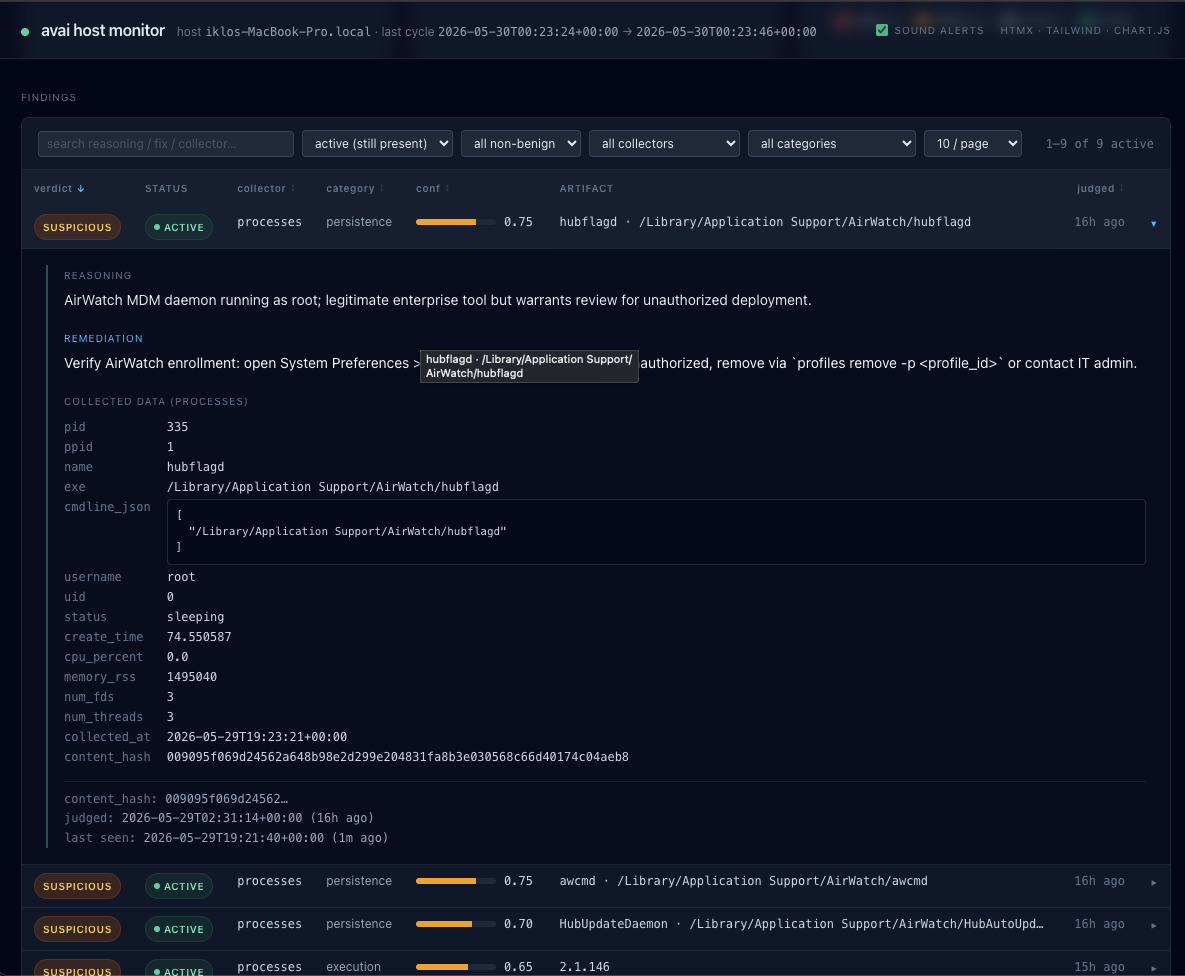
A hidden updater launching from a temp folder with no signature — a common persistence trick.
“Free YouTube Video Downloader” requests broad permissions and isn't from a known publisher.
Spotify talking to its own CDN — expected and benign.
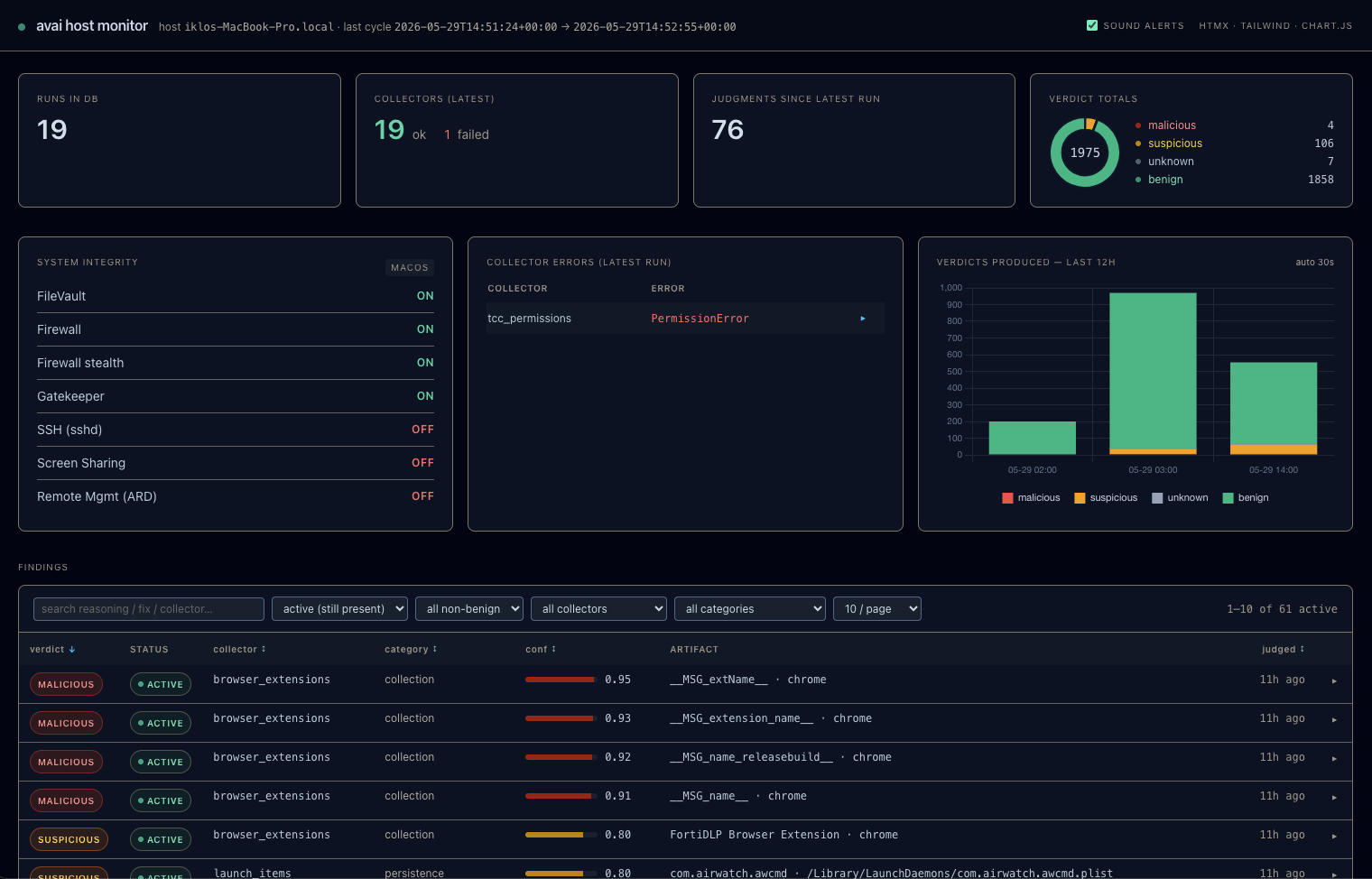
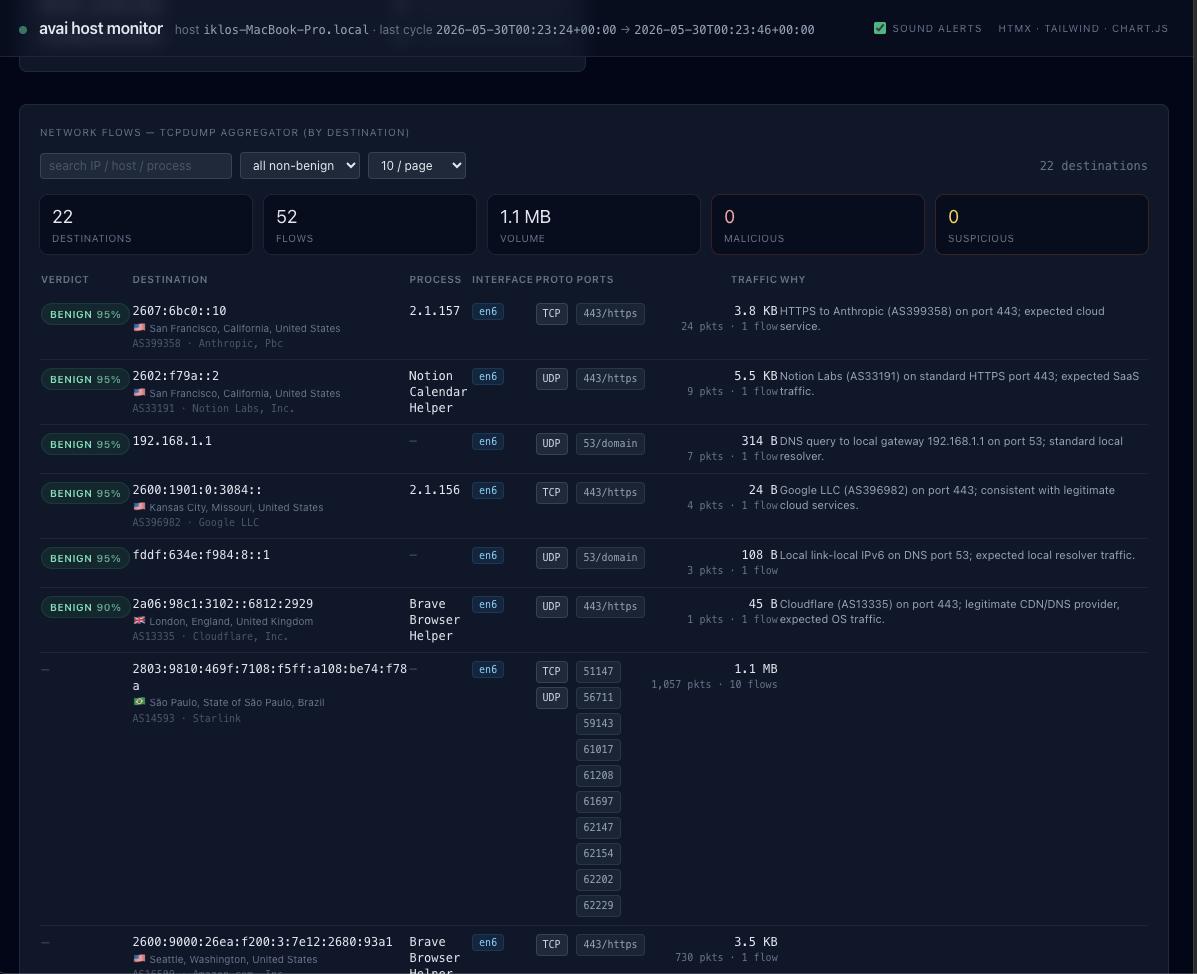
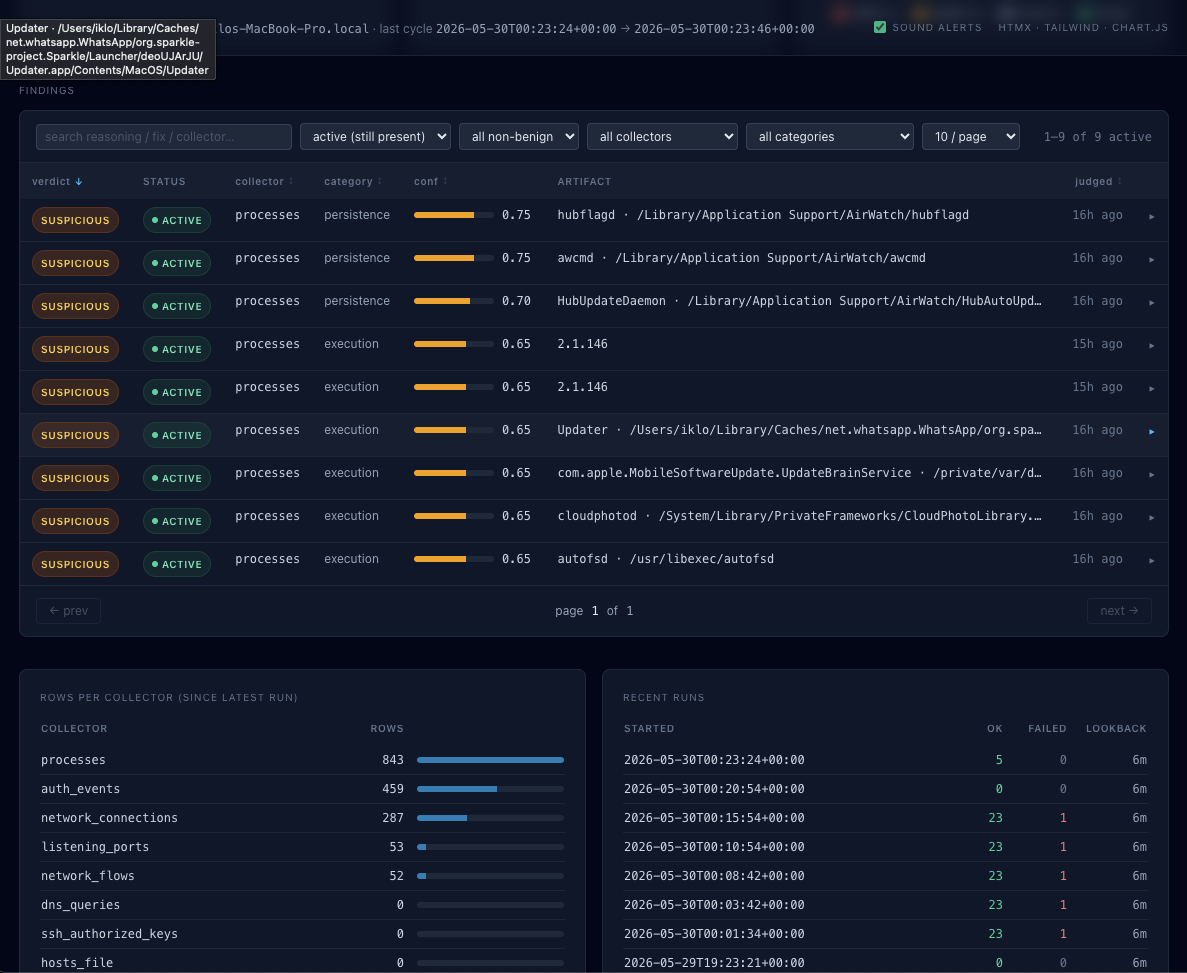
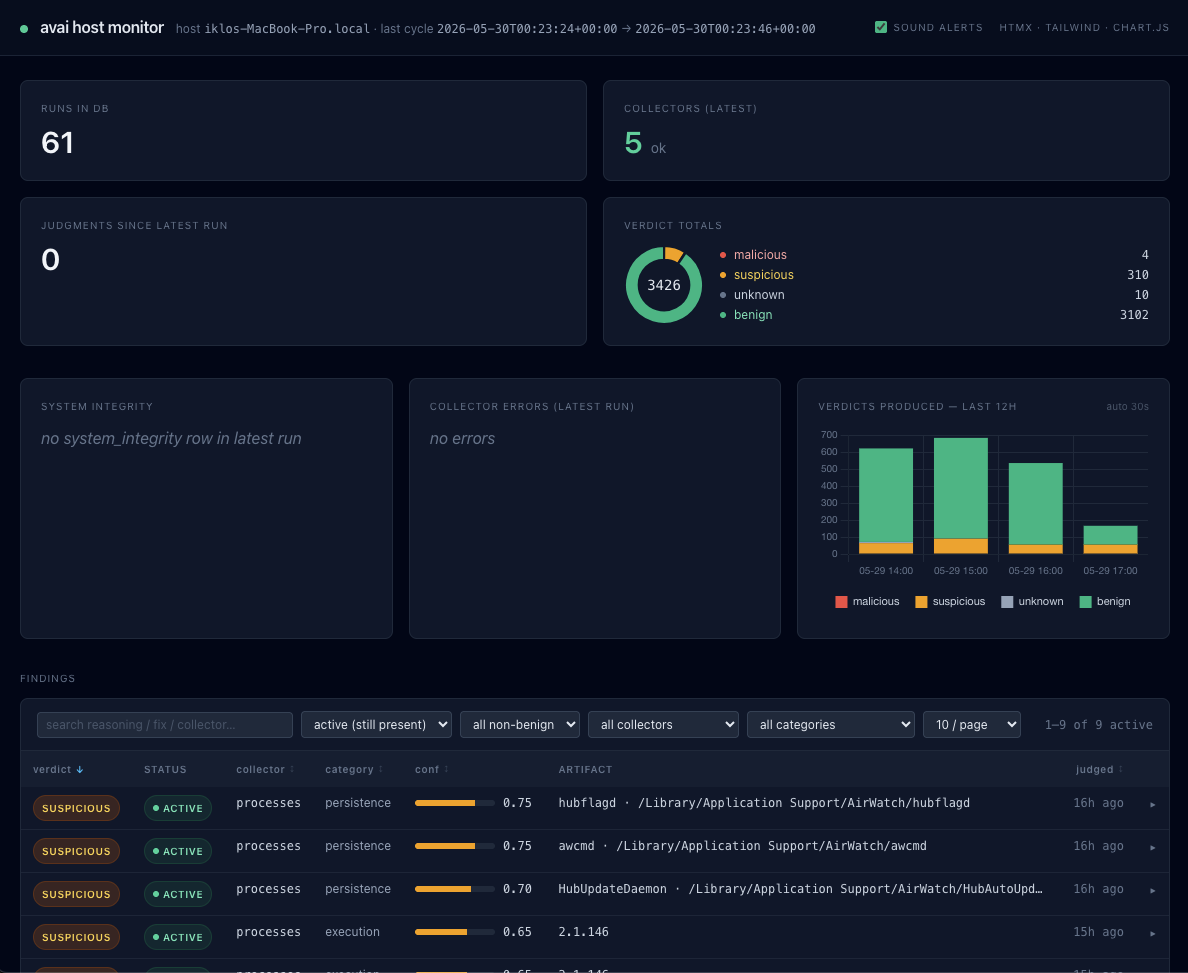
One simple web page.
Open the dashboard and read your computer's health at a glance — findings, network, and posture, all in one place.
One command to run it.
One `docker run` — or install natively with pip — then open the dashboard.
Docker
recommendeddocker run -p 8765:8765 -v "$PWD":/data iklob1/avaidocker compose
docker compose up -dpip (macOS or Linux)
pip install avai-monitor🔑 Turn on the AI verdicts
Set your LLM key (the judge ships by default) and run.
🖥️ Watch a Linux server, keep it running
avai monitor as a service.
🍎 Full macOS coverage
TCC, Gatekeeper, and auth events.
📟 See the alerts without a browser
Tail the findings from the CLI.
👀 Already have a scan? Just view it
avai dashboard --db ./avai.db
From the blog.
Notes on what avai checks, why it matters, and how to read your results.
7 Top Host Visibility Tools Worth Using
Compare top host visibility tools for macOS and Linux. Learn what each does best, where they fall short, and how to pick the right fit.
Privacy First Security Trends That Matter
Privacy first security trends are changing how teams protect Macs and Linux servers with local analysis, less data sharing, and clearer visibility.
Best Small Team EDR Alternatives
Looking for small team EDR alternatives? Compare simpler, lower-overhead options that improve endpoint visibility without enterprise cost or complexity.