MIT License Security Software: Why Transparency is the Ultimate Defense
2026-06-19T10:00:00.000000Z

Is the security tool you trust to protect your data actually the one leaking it? It's a valid fear. Most traditional security software operates like a black box, keeping its inner workings hidden while quietly sending your private information to the cloud. You shouldn't have to guess what's happening under the hood of your own computer. Choosing MIT license security software changes the power dynamic by putting you back in control of your digital environment.
You want protection that feels like a silent partner, not a constant surveillance risk. We agree that transparency is the only way to build real trust. In fact, 77 percent of organizations now believe open source software leads to improved security outcomes. This guide will show you why the MIT license is the gold standard for tools that value your autonomy. You'll learn how to cut through complex legal jargon to find software you can actually trust. We will also show you how to verify a tool's integrity so you can secure your space without the hidden costs often found in proprietary alternatives.
Key Takeaways
- Understand how the MIT license strips away legal jargon to offer a simple agreement that prioritizes user visibility.
- Learn why choosing MIT license security software turns a "black box" mystery into a "glass box" reality where you can verify every line of code.
- Discover the specific markers of a trustworthy tool, from active community engagement on GitHub to clear "local-first" documentation.
- Protect your personal space by identifying software that eliminates hidden cloud-syncing and data-harvesting features.
- See transparency in action with the avai host telemetry tool, a watchdog designed to keep your data under your own roof.
What is the MIT License in the Context of Security?
Security software often feels like a locked room. You install it, hope it works, and trust that it isn't snooping on your files or tracking your habits. The MIT License changes that power dynamic. It's a short, simple legal agreement that makes a software's blueprint available to everyone. When you use MIT license security software, you aren't just buying a tool; you're gaining a window into how your data is handled.
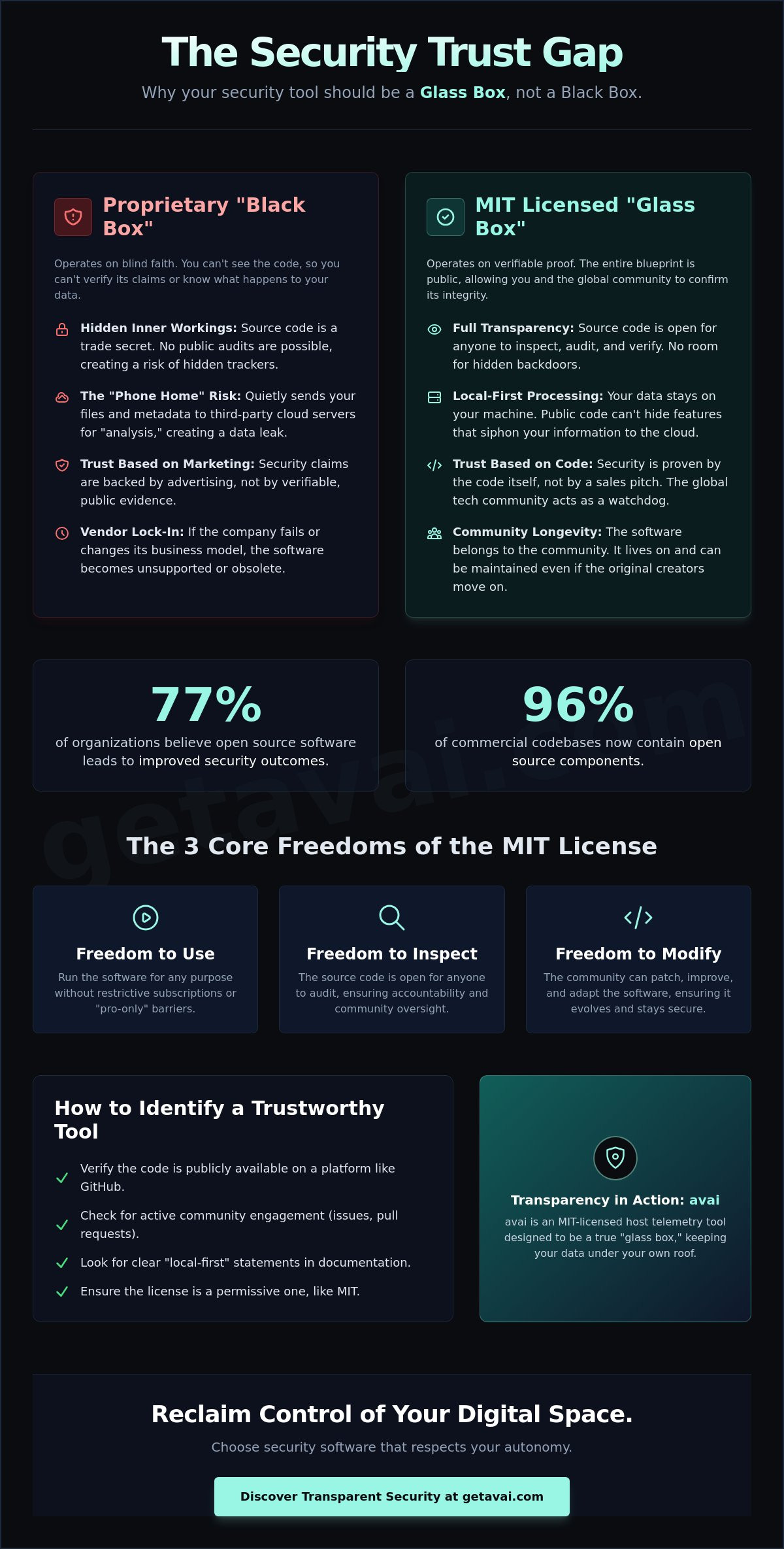
Proprietary software is a black box. You can't see inside, so you have to trust the developer's marketing at face value. MIT-licensed code is a glass box. Because the logic is public, there's no room for hidden trackers or secret "back doors" that send your data to third-party servers. It prioritizes your autonomy. It ensures that the software serves you, not a corporate bottom line. This transparency is the foundation of a relationship built on proof rather than blind faith.
The Core Principles of Permissive Licensing
The MIT license is known as a "permissive" license because it gets out of your way. It's built on three fundamental freedoms that are vital for digital safety:
- Freedom to use: You can run the software for any purpose. There are no restrictive subscriptions or hidden "pro-only" barriers to your protection.
- Freedom to inspect: The source code is open for anyone to audit. You don't need to be a coder to benefit; the global tech community acts as a collective watchdog.
- Freedom to modify: If a tool needs a security patch, the community can fix it immediately. You don't have to wait for a corporate headquarters to approve a budget for an update.
Why 'Free' Doesn't Mean 'Low Quality'
Some people worry that "free" software is amateur or unpolished. That's a myth. The world's most critical digital infrastructure runs on open source code. Research shows that 96 percent of commercial codebases now contain open source components. High-quality developers often prefer the MIT license because it allows their work to reach the widest possible audience without legal friction.
Transparency actually forces a higher standard of craftsmanship. When a developer knows their logic is visible to the world, they write more disciplined, secure code. It's the difference between a messy private kitchen and a professional open-concept restaurant. You can see the ingredients. You can see the process. By choosing MIT license security software, you're choosing a tool that has nothing to hide and everything to prove. This public accountability catches bugs faster than any closed-off corporate team ever could.
Finally, open source provides longevity. If a company goes out of business, proprietary software dies with it. MIT-licensed tools belong to the community. They live as long as people find them useful. This ensures your security isn't tied to a corporate balance sheet, giving you long-term peace of mind.
The Benefits of Using MIT-Licensed Security Software
Most security tools act like a silent neighbor. You know they're there, but you have no idea what they're doing behind closed doors. Choosing MIT license security software removes that mystery. It gives you a seat at the table. You can see exactly what the tool monitors on your computer, from file changes to network connections. There are no "proprietary secrets" used as an excuse to keep you in the dark. Instead, you get a tool that works for you, not for a corporate data harvester.
This openness leads to verifiable auditability. Security experts around the world don't have to take a salesperson's word for it; they can read the code themselves. If a developer claims their tool is safe, the community can prove it. This collective oversight makes it nearly impossible for malicious "back doors" to exist. It also prevents vendor lock-in. If the original creator stops supporting the tool, the community can keep it alive. Your security isn't dependent on a single company's stock price or business model.
Security Without the 'Phone Home' Risk
Proprietary security tools often have a hidden habit. They send "metadata" about your files and activity to the cloud for analysis. This sounds helpful until you realize your private digital footprint is living on someone else's server. MIT-licensed tools are built differently. Because the code is public, developers can't hide "phone home" features that siphon your data. Local processing means your data never leaves your machine. Your computer does the work, and your information stays in your hands.
Verifiable Trust vs. Marketing Claims
Marketing teams are paid to make software sound perfect. Code, however, doesn't lie. Public repositories like GitHub act as a permanent record of a tool's integrity. You can track every change made to the software over time. This level of accountability is why many privacy-conscious users prefer to explore transparent security tools that show their work. By looking at the actual source code, you bypass the glossy brochures and get straight to the facts. It's the difference between trusting a brand and trusting a process that you can see with your own eyes.
Community-driven software also avoids the "paywall" trap. Features are usually built to solve real problems for users rather than to push people into a more expensive monthly tier. You get a lean, efficient tool focused on protection. It acts as a quiet observer in the background, keeping you safe without constantly asking for your credit card or your personal data.
Open Source vs. Proprietary: The Security Trust Gap
Proprietary software asks you to take a leap of faith. When you install a closed-source security tool, you're essentially signing a contract of blind trust. The developer promises to protect you, but they keep the "how" a secret. This "security through obscurity" model assumes that if the code is hidden, it's harder to hack. In reality, this just means vulnerabilities stay hidden from everyone, including the people using the software. MIT license security software rejects this secrecy. It operates as a "glass box" where the logic is visible, verifiable, and open to anyone who wants to look.
Large antivirus companies often struggle with this level of transparency. Their business models frequently rely on proprietary algorithms and massive data collection to stay competitive. This creates a conflict of interest. When a tool is "free" but proprietary, you aren't the customer; you're the product. Your personal data and host activity become the currency that pays for the software. By choosing a tool with an MIT license, you remove the profit motive from your privacy. The code is public, so there's no way to hide the data-harvesting features that many big-name brands rely on.
The Problem with Proprietary Telemetry
Closed-source tools often collect far more data than is necessary for your protection. This telemetry often includes metadata about your files, your network habits, and even your physical location. If that proprietary vendor suffers a data breach, your entire host activity history could be exposed to the public. Security through obscurity is a failed philosophy in 2026. It doesn't stop sophisticated threats; it only stops you from knowing if you're truly safe. Local processing is the only way to ensure your data stays on your machine, and it serves as the core privacy feature of transparent security.
How Open Source Bridges the Gap
Open source doesn't just show you the code; it invites the world to fix it. Community auditing acts as a continuous, global security review that never sleeps. When a vulnerability is found in an MIT-licensed tool, the fix is often released in hours, not weeks. This is why many developers and security professionals choose MIT license security software for their own personal machines. They want tools they can run entirely offline or self-host without a mandatory cloud connection. This ability to operate in a "local-first" environment is the ultimate defense against the rising tide of cloud-based data leaks. It moves the power back to the user, ensuring your security stack is a private fortress rather than a data pipeline.
How to Evaluate an MIT-Licensed Security Tool
You don't need a computer science degree to verify a software's integrity. Finding the right MIT license security software is about looking for signs of life and honesty. Start by visiting the project's public repository, usually on a site like GitHub. Look at the "commits" or recent updates. If the developers haven't touched the code in over a year, the tool might be abandoned. A healthy project has frequent updates and an active community of people asking questions and suggesting improvements.
Next, check the documentation for two specific terms: "Privacy" and "Local-First." These aren't just buzzwords. They indicate that the tool is designed to keep your data on your own machine. A trustworthy tool should also explain its findings in plain English. If a security scanner gives you a wall of technical jargon without explaining the actual risk to your computer, it isn't being truly transparent. It's just moving the "black box" from the code to the user interface.
Finally, perform a simple "unplugged" test. Does the software require a constant internet connection to function? If a tool claims to monitor your local files but refuses to work without "phoning home" to a server, it's a major red flag. True MIT-licensed tools should give you the autonomy to run them entirely offline. This ensures your host activity never leaves your four walls unless you specifically choose to share it.
Red Flags in Open Source Security
Watch out for repositories that lack clear installation instructions. If a developer hasn't taken the time to explain how to set up the tool, they likely haven't prioritized user safety either. Be wary of tools that ask for excessive administrative permissions. A simple telemetry tool shouldn't need access to your webcam or your contacts. If the "License" file is missing or contains confusing modifications to the standard MIT text, walk away. It's better to stay unprotected for another hour than to install a tool that compromises your privacy under the guise of open source.
Green Flags: What to Look For
Look for "Pip" support or integration with standard platforms like Docker. This shows the developers follow industry best practices. Responsive developers who answer "Issues" on GitHub are a sign of a project that cares about its users. Clean, well-documented code that includes comments explaining what each section does is the ultimate green flag. Ready to see how a truly transparent tool works? Explore the avai host telemetry tool for a local-first experience that puts your privacy first.
avai: A Case Study in Transparent Security
The principles of transparency and autonomy aren't just theoretical. They come to life in the avai host telemetry tool. Designed as a privacy-first watchdog, avai acts as a quiet observer of your system's behavior. It doesn't shout for your attention or interrupt your workflow with constant pop-ups. Instead, it sits in the background, monitoring your digital environment with a focus on your personal space. Because it is MIT license security software, every line of its logic is an open book. You don't have to guess if it's protecting you; you can see exactly how it works.
The MIT license allows avai to be completely free and transparent. There are no hidden tiers or "premium" locks on your data. This openness ensures that the tool remains a servant to the user rather than a data pipeline for a corporation. While proprietary tools often treat your computer's activity as a commodity to be harvested, avai keeps everything local. Your telemetry data stays on your machine. This local-first approach eliminates the risk of cloud-based data breaches, giving you a level of sovereignty that "black box" software simply cannot match.
AI Security Analysis Without the Cloud
Most modern security tools rely on the cloud to process complex data. The avai AI Security Analyst breaks this cycle. It performs its analysis directly on your hardware. This means your private host activity never travels across the internet to a third-party server. It translates complex system events into plain-English results. You don't need to be a forensic expert to understand your risks. The tool uses a simple, color-coded rating system to show you exactly what's happening. Green means your space is clear; yellow or red indicates a beat that needs your attention. It's professional-grade insight delivered in human-centric terms.
Get Started with Transparent Security
Taking control of your digital footprint should be effortless. You can find avai on GitHub or install it quickly via Pip. This streamlined process reflects the "human-to-human" communication style that defines the project. There are no bureaucratic hurdles or complex registration forms. You simply gain a knowledgeable peer that looks out for your best interests. The peace of mind that comes from knowing exactly what your computer is doing is invaluable. By choosing a transparent watchdog, you're investing in a relationship built on proof, not promises. Ready to see your system's activity through a glass box? Download the avai host telemetry tool on GitHub and experience security that respects your autonomy.
Take Back Your Digital Autonomy
Trust shouldn't be a requirement for security. It should be the result of transparency. By choosing MIT license security software, you move away from the mystery of closed-source tools and toward a future where you own your data. You've seen how community auditing keeps code clean and why local processing is the only real defense against the rising tide of cloud breaches. It's time to stop guessing what your software is doing and start knowing.
We built our tools to be the silent partners you can actually verify. Our host telemetry tool is released under the permissive MIT license to ensure you stay in control. It features local-only AI security analysis, meaning no data ever leaves your machine. Your privacy isn't a feature; it's the foundation of everything we do. We believe that a true protector should be a quiet, helpful observer in the background of your life.
Ready to see the difference that total visibility makes? Explore the avai open-source security tool on GitHub and secure your computer on your own terms. Your personal space is worth protecting with a tool that has nothing to hide.
Common Questions About Transparent Security
Is MIT license software safe to use for security?
Yes, it is often safer because the code is open for anyone to audit. This transparency prevents developers from hiding malicious backdoors or sloppy logic. When security software is public, a global community of watchdogs can spot and fix vulnerabilities faster than a closed corporate team. It's about proof, not just promises. You gain a tool that has been vetted by peers rather than marketed by a sales department.
What is the difference between MIT license and GPL for security tools?
The MIT license is more permissive and much simpler than the GPL. While the GPL requires any modified versions to also be open source, the MIT license lets you use, copy, and change the code with almost no restrictions. For security tools, this means less legal friction. It's a "no strings attached" approach that makes it easier to integrate protection into your specific digital environment.
Can I use MIT-licensed security software for my business?
Absolutely. The MIT license explicitly allows for commercial use without charging you royalties or licensing fees. It's a popular choice for businesses that want professional-grade protection without being locked into a proprietary vendor's ecosystem. You get the freedom to run the tool on as many machines as your team needs. This flexibility helps small businesses maintain high security standards without the burden of complex legal contracts.
Does 'open source' mean hackers can find holes more easily?
It means everyone can see the holes, including the people who can fix them. This is a strength, not a weakness. In a "black box" system, only the hackers might know about a secret vulnerability. In open source, the community identifies and patches flaws quickly. Transparency is your best defense against hidden threats. It turns the security of the software into a collective effort rather than a corporate secret.
Why is the MIT license better for privacy than proprietary software?
It eliminates the "phone home" risk found in many closed-source tools. Because the code is public, developers can't hide secret data-harvesting features that send your activity to the cloud. MIT license security software is built on the idea that your data should stay on your machine. You can verify this yourself by reading the code. It ensures that your private digital footprint remains under your own roof.
How do I know if a security tool is actually using an MIT license?
Check the project's root directory for a file named "LICENSE" or "COPYING." A true MIT agreement is very short, usually only a few paragraphs long. It will state that the software is provided "as is" and list the copyright holders. If the license is missing or looks like a long, complex contract, it isn't a standard MIT license. Most trustworthy MIT license security software will display this clearly in its GitHub repository.
Do I need to pay for updates for MIT-licensed software?
No, updates for MIT-licensed projects are typically free and public. Since the software is community-driven, you can pull the latest version directly from repositories at any time. This removes the "paywall" trap where you have to subscribe to a monthly plan just to keep your computer's defenses current. It ensures your protection is based on the latest community insights rather than your ability to pay a renewal fee.
Can I modify MIT license security software for my own needs?
Yes, that is one of the core freedoms of the license. You can change the code to fit your specific hardware or privacy requirements. This autonomy is perfect for users who want a custom security stack. You aren't stuck with a "one size fits all" solution that doesn't respect your personal space. It allows you to build a defense that is as unique as the machine it protects.